Your meetings, written up.
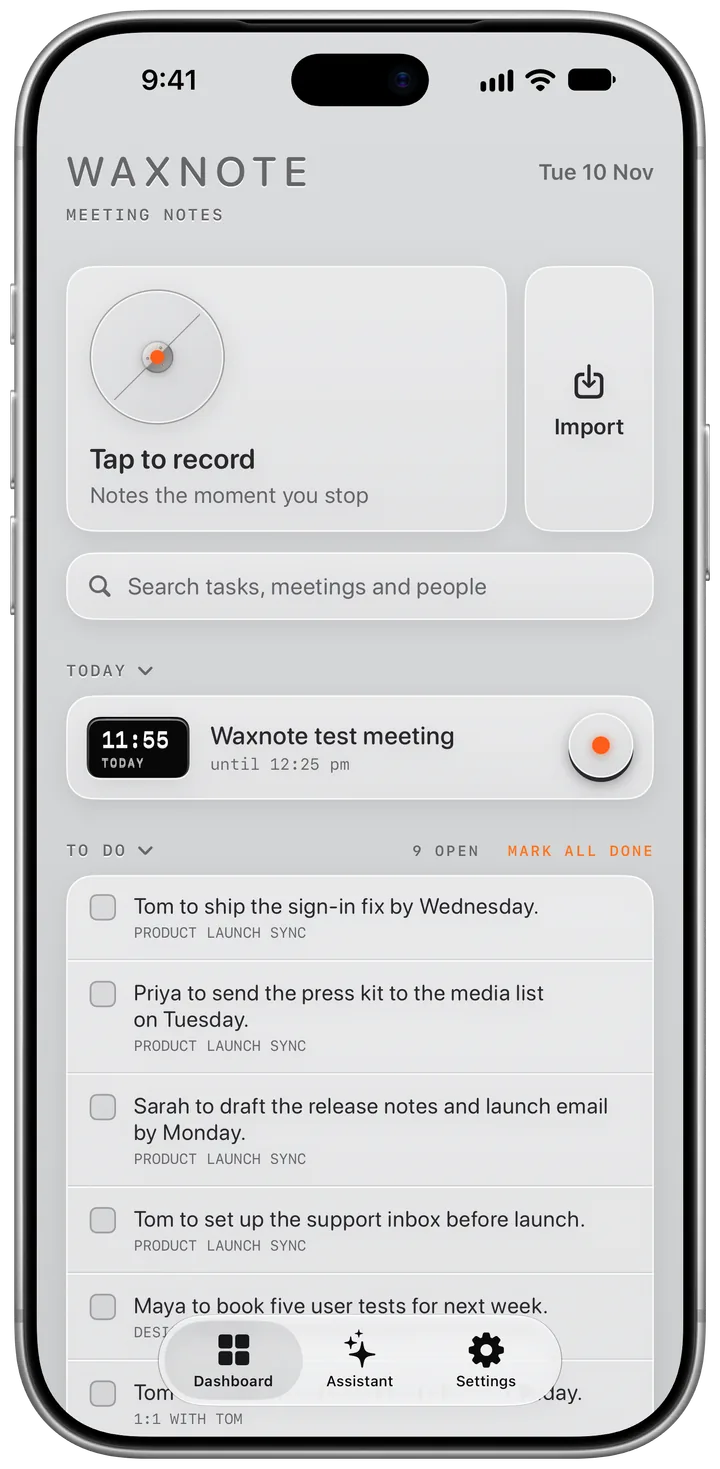
Press record and get back to the conversation. Waxnote transcribes as you talk and writes the notes the moment you stop: a summary, the key points, the decisions and who has to do what. Your meetings stay on your devices and in your own iCloud.
Record any meeting.
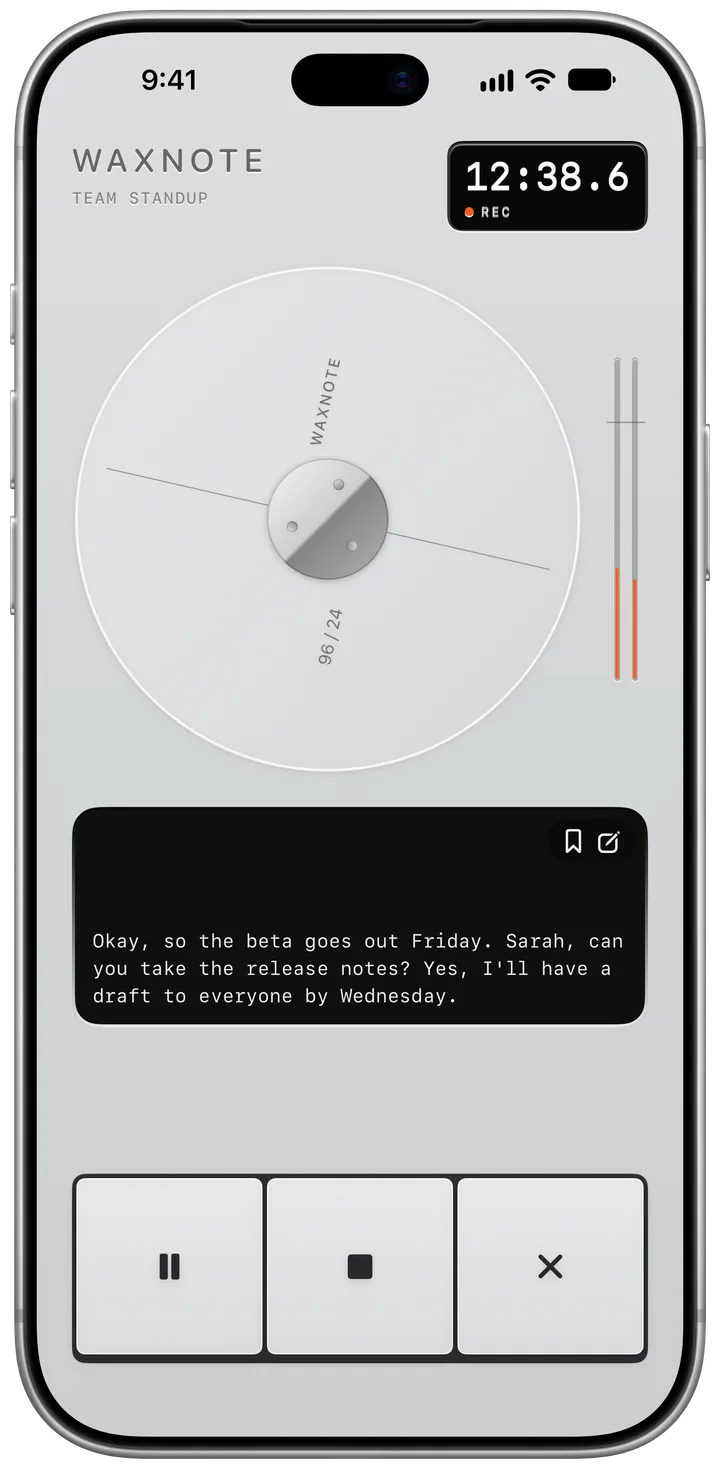
One tap starts it, from the app, Control Centre, the Lock Screen or Siri. The words appear as they're spoken, transcribed on your iPhone, and the recording keeps going in the Dynamic Island while you use other apps.
Notes the moment you stop.
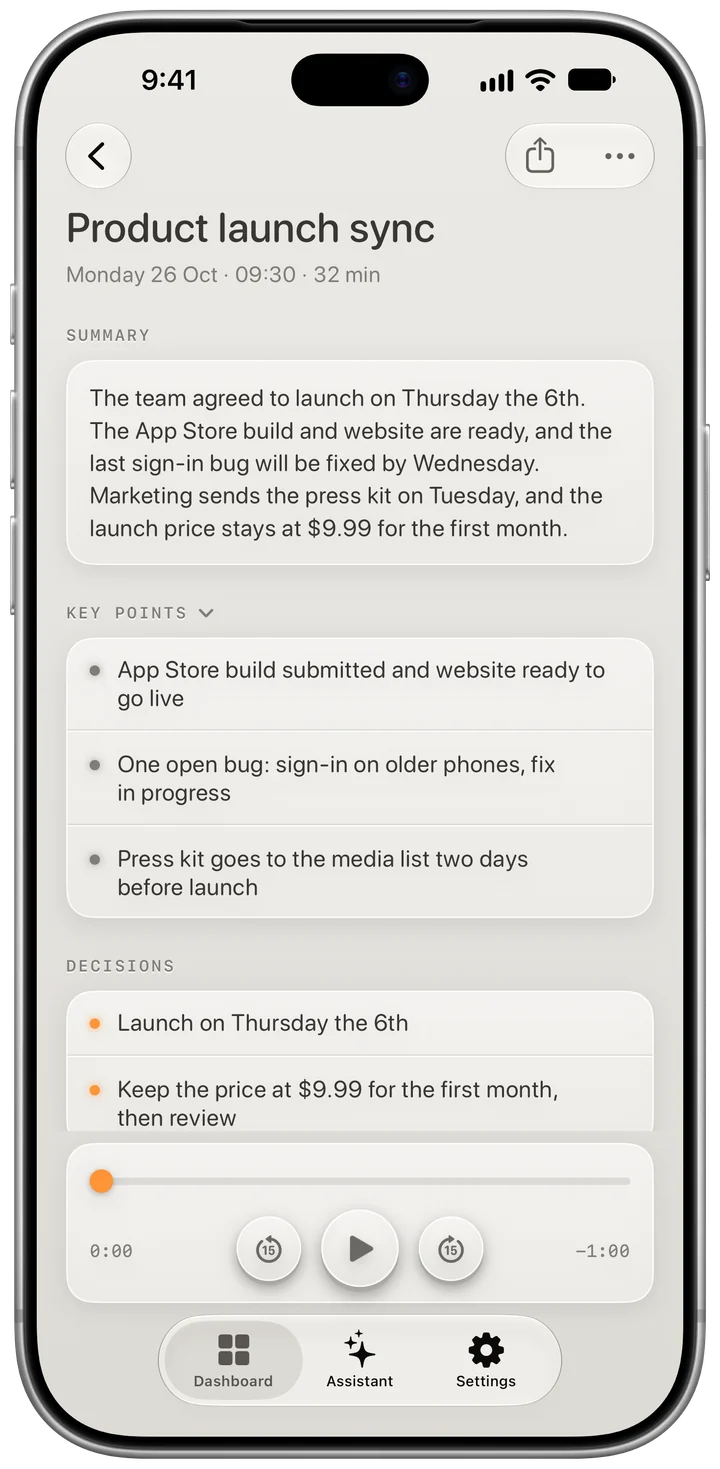
Apple Intelligence reads the whole meeting and writes it up: a short summary, the key points, what was decided and every action item, using Apple's larger model on Private Cloud Compute or the one on your iPhone.
Knows who said what.
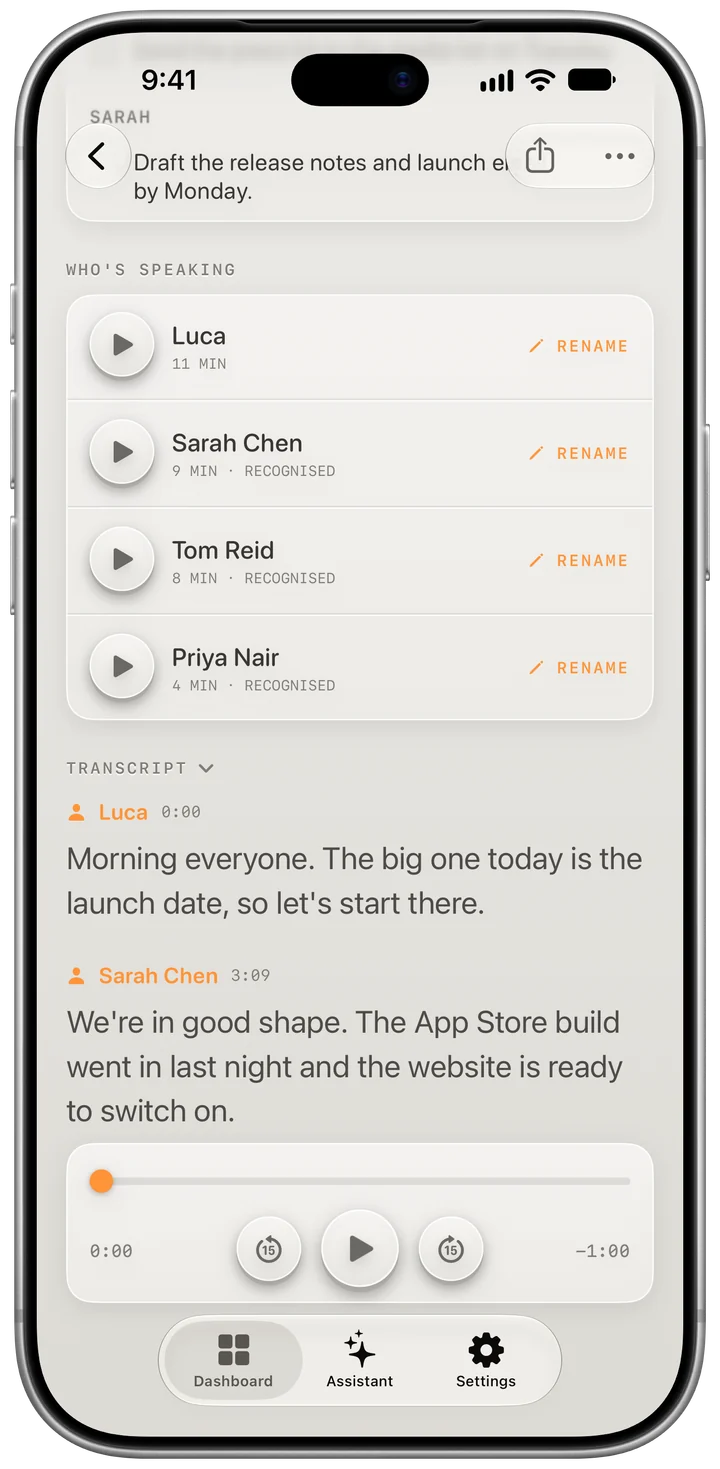
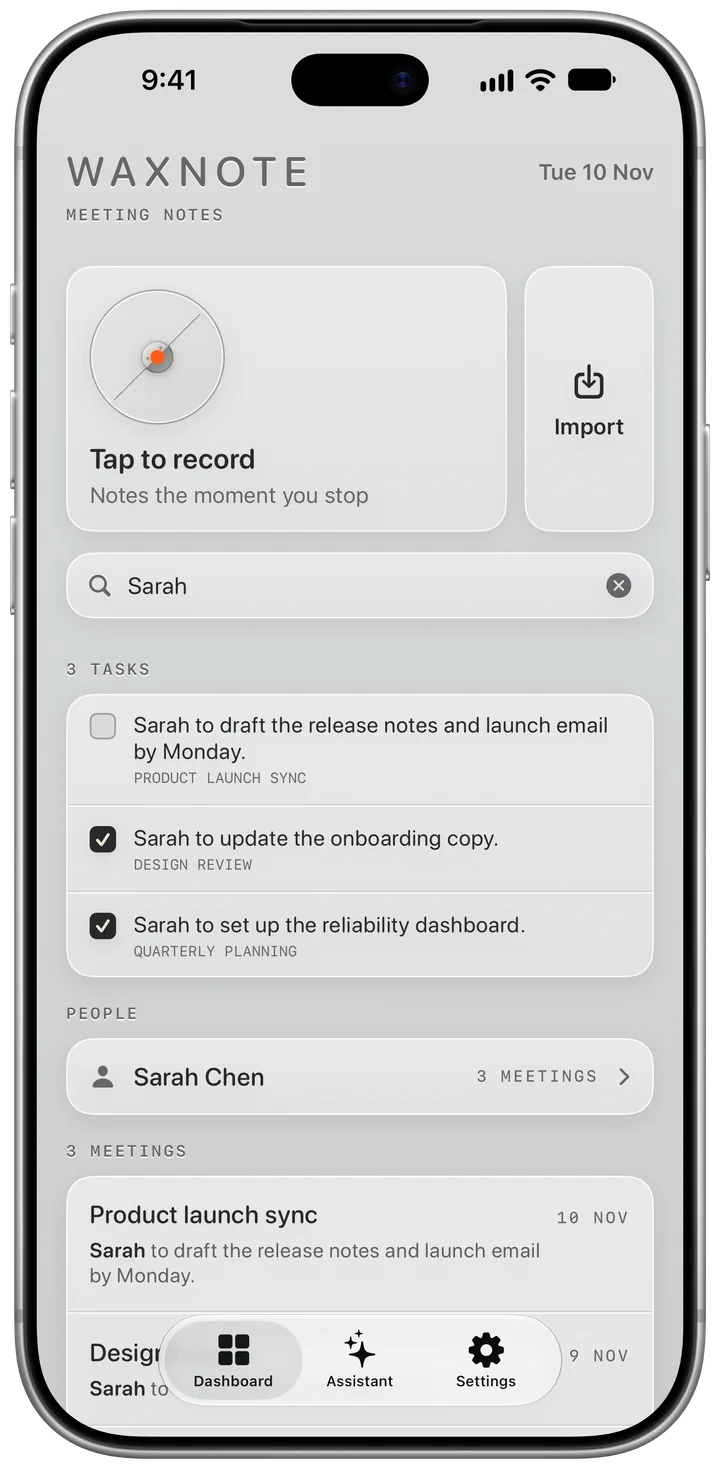
Waxnote picks out each voice in the room. Play a short sample, name the person once, and Waxnote recognises them in every meeting after that, on your iPhone and your Mac. On a one-to-one call, Waxnote reads the invite and names the other person for you. The transcript shows who spoke, and each task goes to the right person by name.
Every task in one place.
Action items from all your meetings land in one to-do list, labelled with the meeting they came from. Tick them off, or send them to Reminders. Your calendar's next meetings sit above, with a reminder to record when each one starts.
On your wrist.
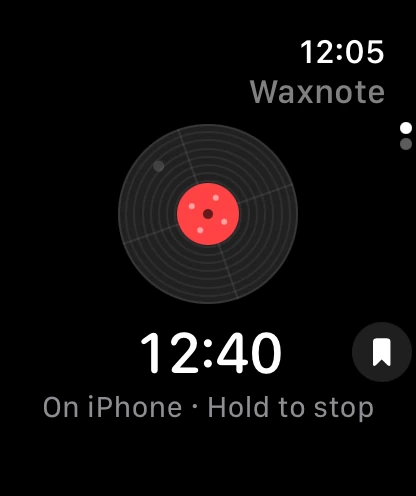
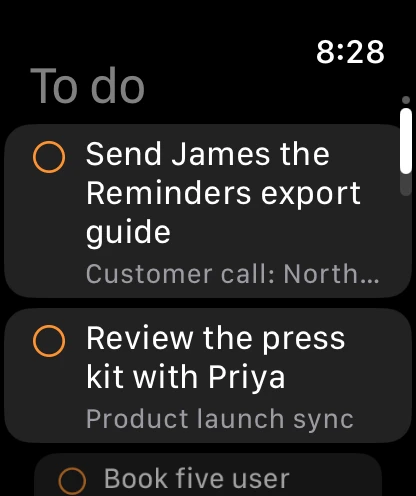
Tap the record on your Apple Watch to start recording, and hold it to stop and save. It spins for as long as the meeting is recording, whether that's on your Watch or your iPhone. Swipe up for your to-do list and tick tasks off as you go.
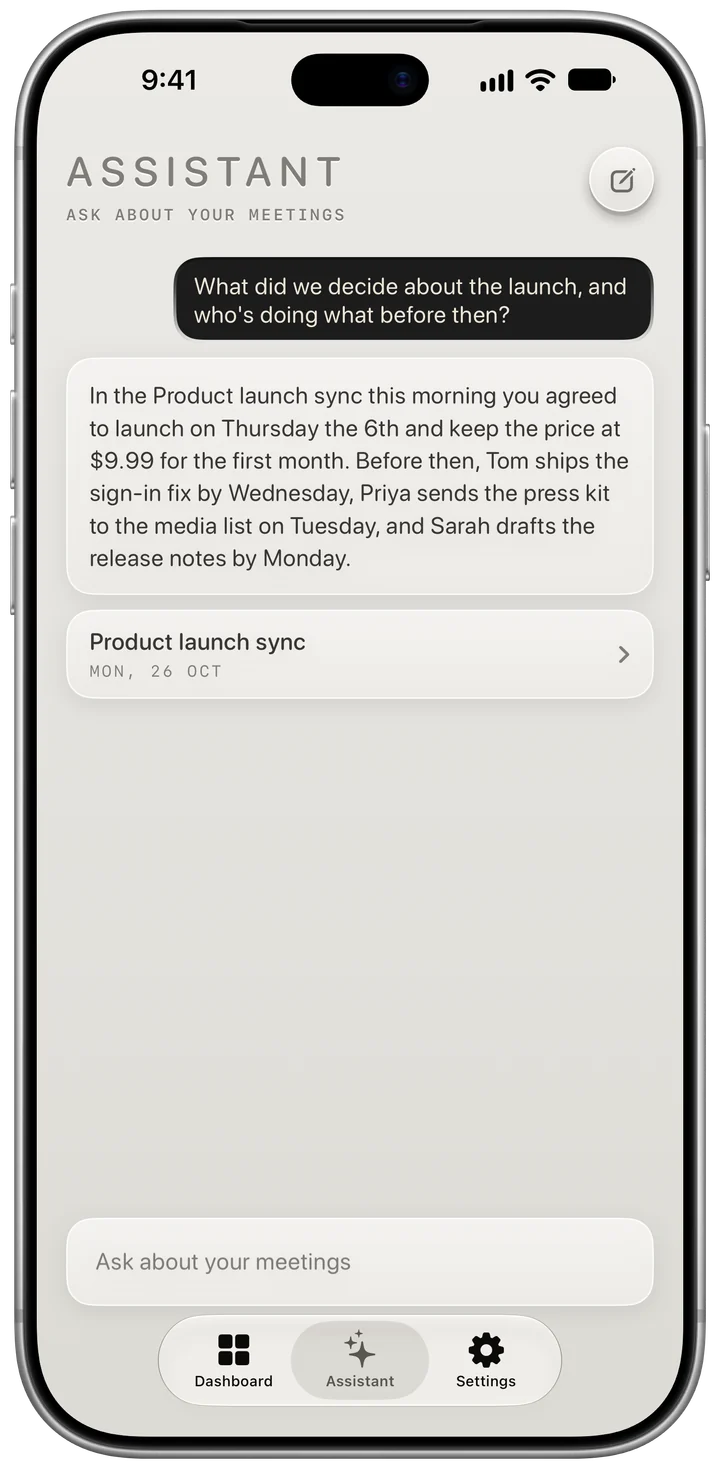
Ask about any meeting.
What did we decide? Who said they'd do it? The Assistant answers from your own notes and transcripts.


Find anything, or anyone.
One search bar, right under Record, looks through every task, title, note and transcript at once. Tick tasks off from the results, or search a person's name to see every meeting they were in.
Pick the machine you record on.
The recorder can be an aluminium recorder, a reel-to-reel tape deck, a record player or a DJ deck. The reels wind, the record turns and the meters move with your voice. Retro and Liquid Glass are free, and Tape Deck, Record Player and DJ come with Waxnote Plus.


Apple's larger model, kept private.
An hour of conversation is a lot to read, so Waxnote writes your notes with Apple's larger model on Private Cloud Compute. It runs on Apple's own servers. Apple says nothing is stored, nothing is used for training, and no one, Apple included, can see it.
Video calls on your Mac.
On a call with your headphones on? Waxnote for Mac records both sides straight from the call app, and your AirPods keep playing as normal. When a call starts, Waxnote asks if you want to record it. Nothing records until you click. The notes are written on your Mac, and the meeting turns up on your iPhone.
- Zoom
- Microsoft Teams
- Webex
- Google Meet
- FaceTime
- Slack
- Calls in Chrome, Safari, Arc, Edge or Firefox

Let your agent read your notes.
Turn on Agents in Waxnote for Mac and an agent like Claude Code can search your meetings and read their notes and transcripts over MCP, the standard way agents connect to apps. It can only read, it only works on your own Mac while Waxnote is open, and it needs your private key. Your other Macs share the switch and the key through iCloud, so each one works without the other being on.
Or use them in Claude and ChatGPT anywhere.
With Waxnote Plus, turn on Waxnote Connect on your iPhone or Mac and add sottoapp.com.au/mcp to Claude, ChatGPT or any app that supports MCP. You sign in with a link code from Waxnote, and the app can read your meetings' notes and transcripts from your phone, the web or anywhere else. It's off until you turn it on, it can only read, recordings never leave your devices, and turning it off deletes the copy straight away.
Your meetings are yours. They live on your devices and in your own iCloud. No account, no ads and no tracking.
Already on Google Meet?
With Waxnote Plus, your Google Meet transcripts and the notes Gemini writes come in by themselves, so meetings you didn't record still end up with the rest.
Recorded somewhere else?
Import audio from Voice Memos or Files, or share a recording to Waxnote, and it's transcribed and written up like any other meeting.
Need the whole transcript?
One tap on iPhone or one click on Mac copies it with everyone's names, ready to paste into a document, an email or anything else.
On more than one device?
Your meetings, names and saved voices stay in step across your iPhone and Macs through iCloud. Pull down on iPhone, or press Command-R on Mac, to fetch the latest.
Plan your week in Lanes?
Waxnote hands each meeting's summary and tasks to Lanes through your own iCloud, so its tasks turn up where you plan. Recordings and transcripts stay in Waxnote.
Want a voice gone?
Saved voices on iPhone and Mac lists everyone Waxnote knows. Play a clip to check it's them, or forget them on every device at once.
Free to record, on iPhone and Mac.
Recording, transcripts, notes, tasks and search cost nothing. Waxnote Plus adds Google Meet notes, Waxnote Connect and every look for A$0.99 a month or A$7.99 a year, with the first month free. Needs Apple Intelligence.